Start New Run
The Start New Run Screen is the launching pad for initiating a new run, allowing the user to configure essential settings for the process.
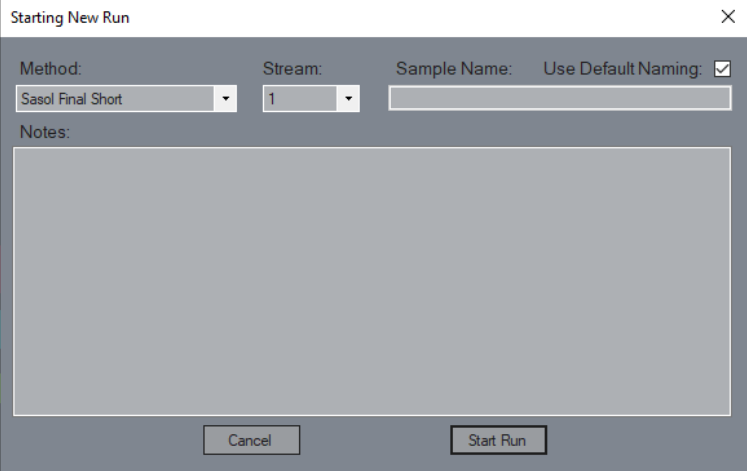
Method
Choose the method you want to use for this run—your blueprint for the process ahead.Stream
Need stream-specific settings? This option applies any custom stream configurations defined in your method for the selected stream.Sample Name
Every run needs an identity! This is where you name your sample and the corresponding result set.Use Default Naming
Want to automate the naming? Check this box to use the name defined in the method settings. Uncheck it if you prefer to customize the name manually.Notes
Have any important notes or details specific to this run? Capture them here, and they’ll be saved along with the dataset for future reference.Cancel
Not ready to commit? Hit cancel to back out of the start new run screen without starting anything.Start Run
Ready, set, go! This button sends your method to the instrument and kicks off the run.