Report
The Report section is your essential toolkit for generating, saving, and printing data reports, ensuring that you have all the necessary documentation at your fingertips.
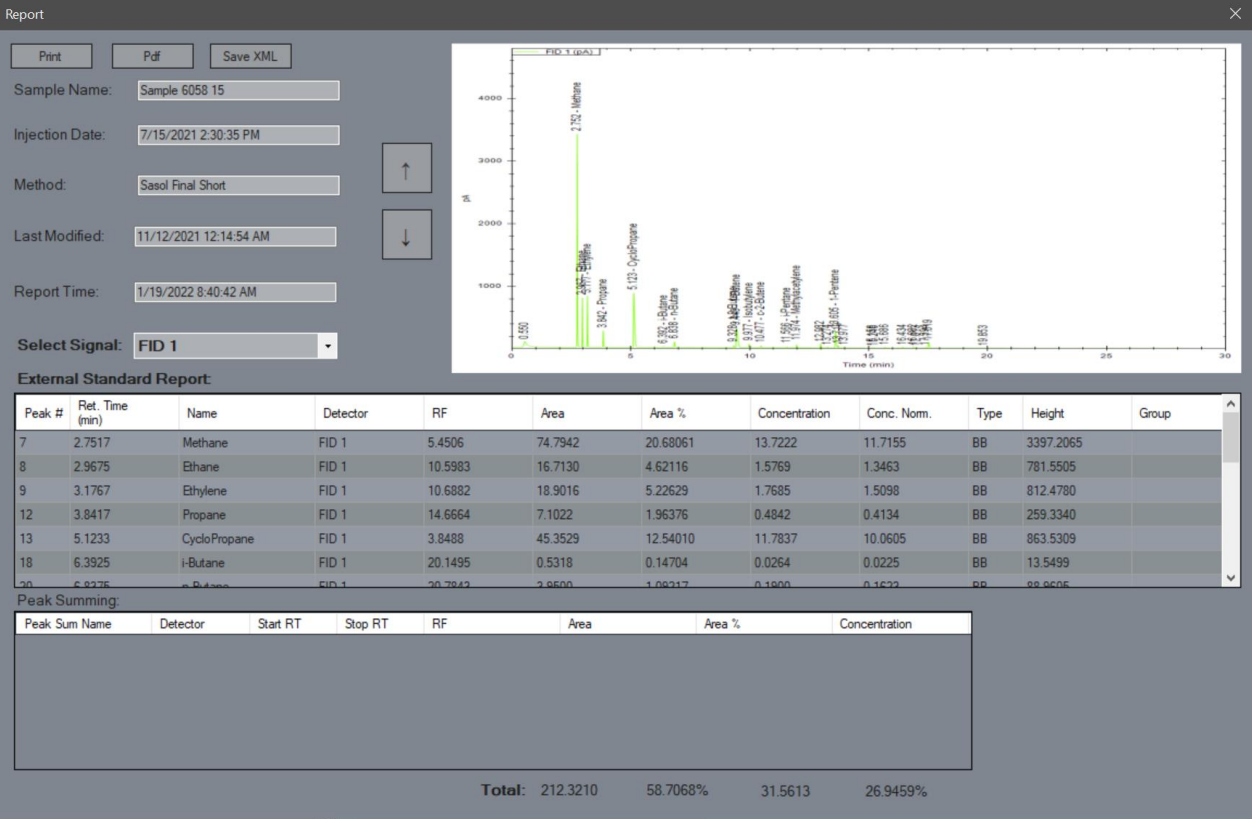
Print
Send the report to the default printer as a text document, allowing for easy physical copies.Pdf
Generate a PDF version of the report to save on your computer, perfect for digital sharing and archiving.Save XML
Create an XML file version of the report in the sample’s report folder, facilitating data interchange and structured storage.Up/Down Arrows
Cycle through the report images for each signal using these arrows, enabling quick navigation and comparison of data visuals.
Last modified: 12 May 2026