Data Set Overlay
The Data Set Overlay feature empowers you to compare and analyze multiple data sets simultaneously, enhancing your data visualization experience.
Overlay Select
Tool for choosing and customizing data overlays for analysis.
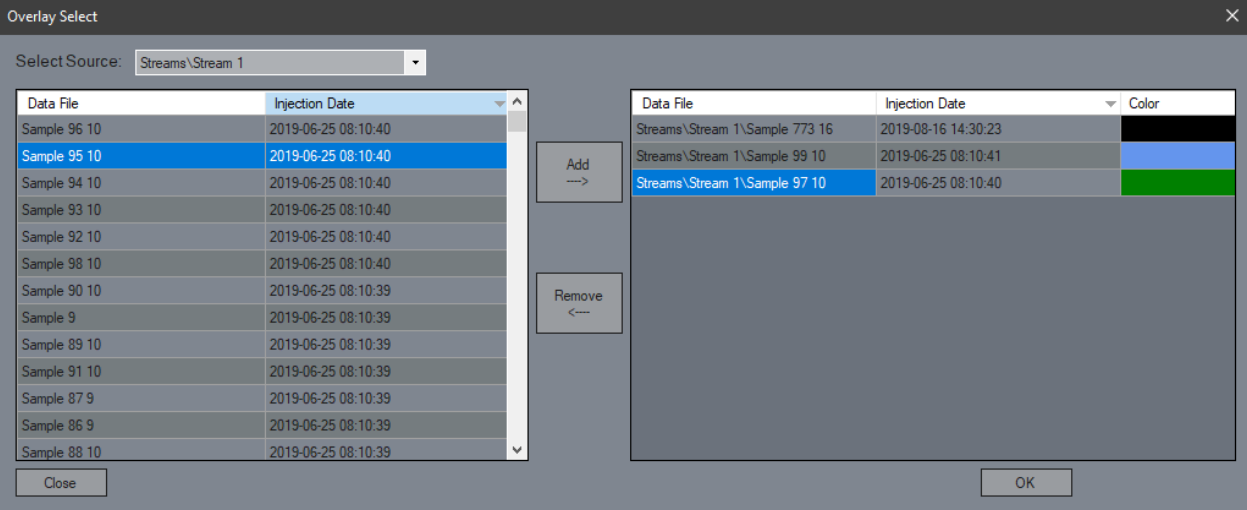
Select Source
Choose which stream or method you want to overlay data from, allowing for targeted comparisons.Add/Remove
Easily add or remove data from the overlay table to customize your analysis.Data Color
Click to change the color of the data set for better visual distinction, making it easier to differentiate between multiple overlays.OK
Confirm your selections and open the overlay chromatogram with the specified data sets for immediate analysis.Close
Exit the overlay selection form without applying changes.
Overlay Chromatogram
Interface for analyzing and comparing multiple data sets visually.
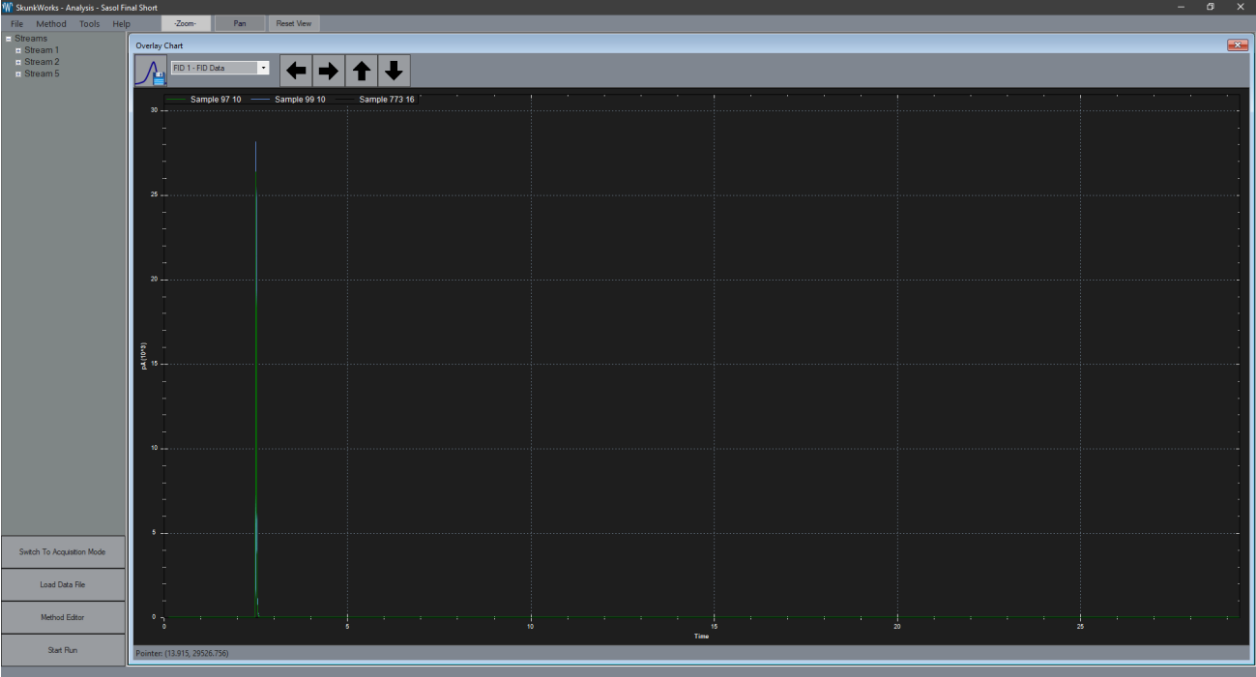
Signal Select
Access all available signals or switch to one of interest for focused analysis.Left Arrow
Shorten the viewable time axis for a more condensed data presentation.Right Arrow
Expand the viewable time axis to examine data in greater detail.Up Arrow
Expand the viewable y-axis to emphasize data variations.Down Arrow
Compress the viewable y-axis for a broader overview of your data.Save Image
Capture and save the current view as a .png or .pdf for reporting or sharing purposes.